Now on the App Store iOS Android in beta

Never miss
another home
maintenance
task.

Upkeep Nest tracks every recurring task for your home — from furnace filters to gutter cleaning — and reminds you before things break. Floating or fixed schedules, multiple properties, shared with your household.

Built by homeowners, for homeowners · Free plan included
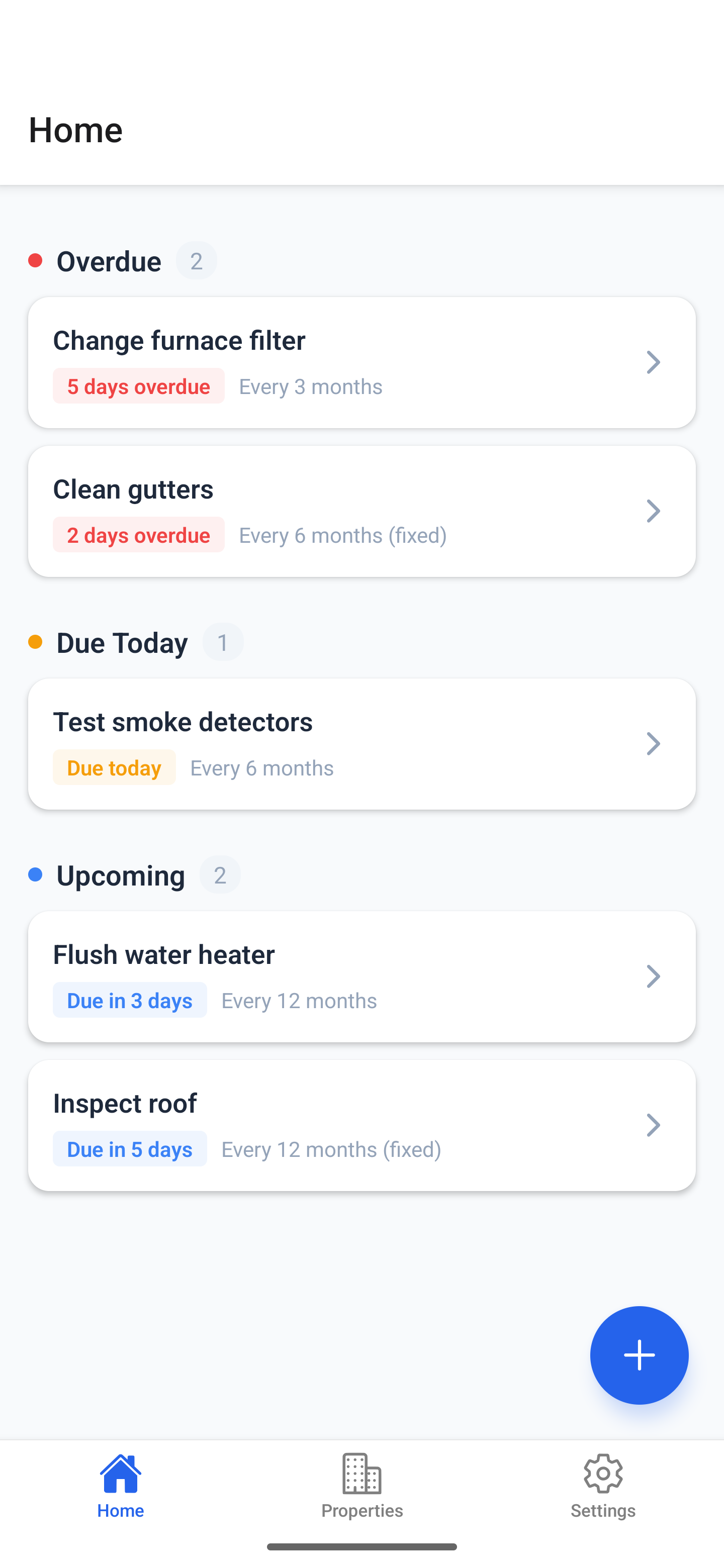
Furnace filter 5 days overdue
Gutters cleaned Logged by Sam
Flush water heater Due in 3 days
Upkeep Nest dashboard showing overdue, due today, and upcoming maintenance tasks
Why Upkeep Nest

The home-maintenance app that actually fits how you live.

Most apps make you build a schedule. Upkeep figures it out from what you actually do — and reminds you before something becomes a repair bill.

Smart scheduling

Floating tasks shift. Fixed tasks don't.

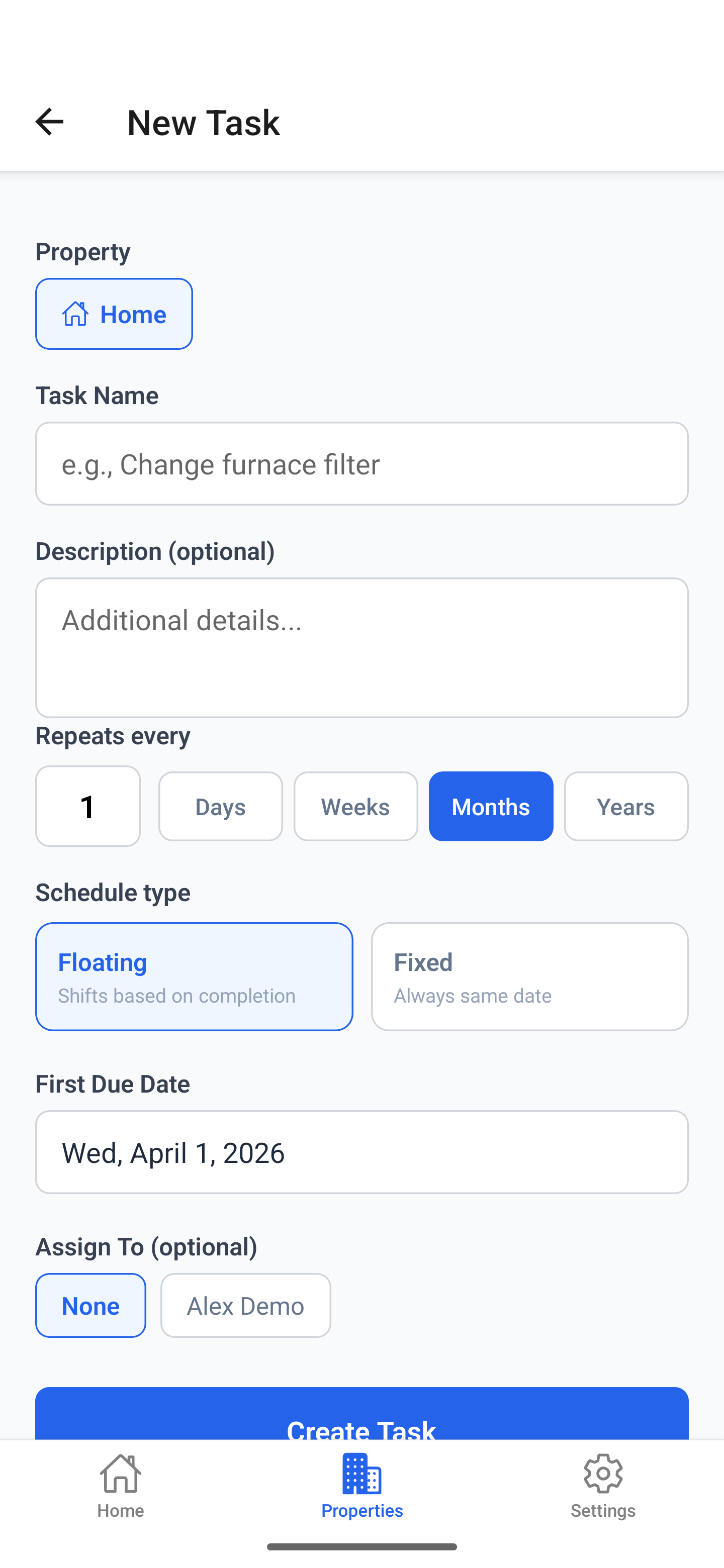
Two scheduling modes, one tap. Floating tasks recalculate from the day you actually completed them. Fixed tasks always land on the same calendar date.

  • Changed the filter late? Next reminder adjusts automatically.
  • Trim the apple trees every March, no matter when you got to it last year.
  • Daily, weekly, monthly, yearly, every-few-years — all supported.
Adding a new recurring task
Multiple properties

Home, rental, vacation house — all in one place.

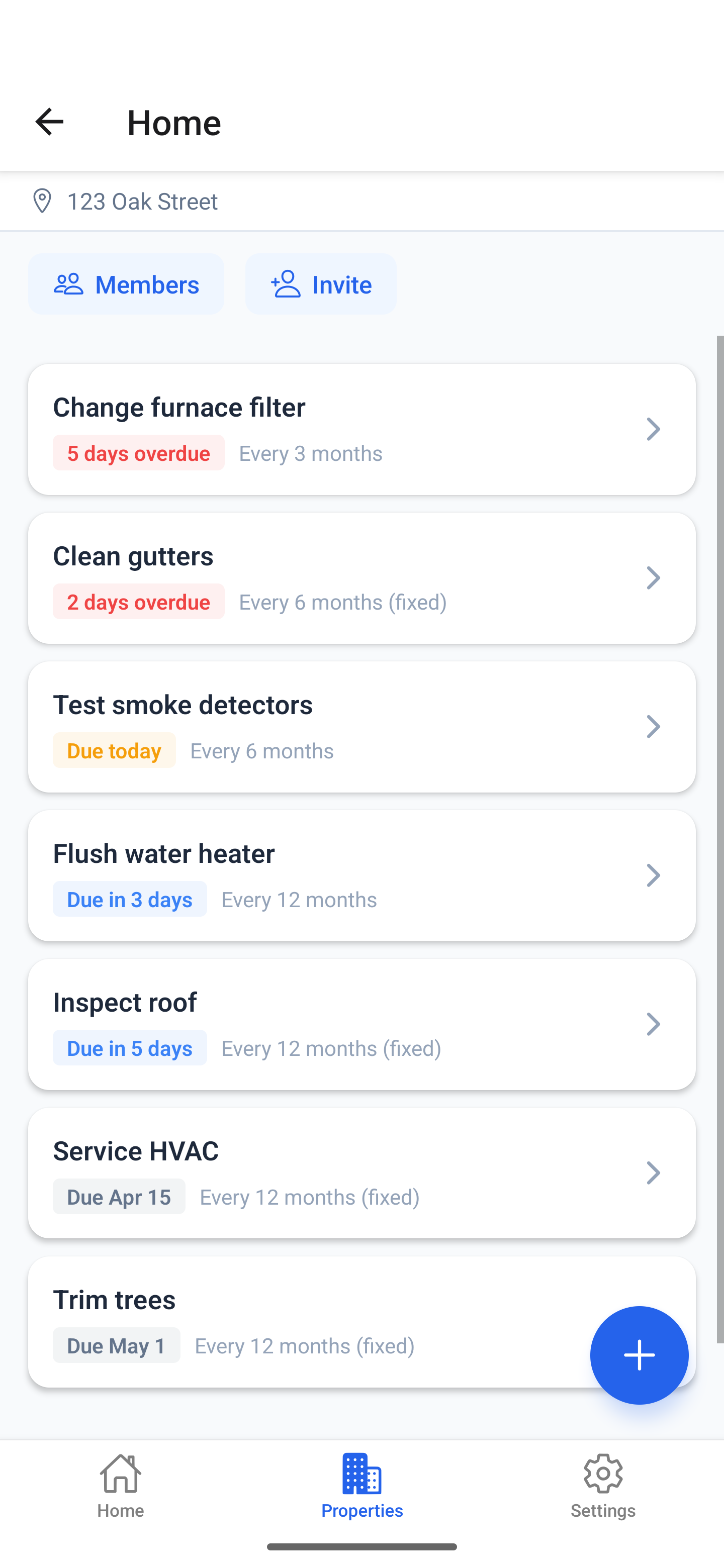
Track every property you own or manage. Invite family members or co-owners. Assign tasks to specific people so only they get notified, but everyone sees the list.

  • Unlimited properties on one account.
  • Share with your household — split responsibilities cleanly.
  • Notifications go only to whoever's assigned the task.
Property detail with member list and tasks
Advanced settings

Power-user options for the way real homes work.

Most maintenance isn't a flat list of timers. Tasks block each other, follow each other, or only matter half the year. Upkeep handles all three.

  • Wait for — block a task until another is done. Apply second coat only after the first is dry.
  • Schedule after — auto-create a follow-up a set time after a parent task. Re-seal the deck 2 weeks after staining.
  • Active season — restrict recurrence to a date window. Mow the lawn April–October, skip the rest.
Wait for
Apply first coat → blocks Apply second coat
Schedule after
Stain deck → +2 weeks → Re-seal deck
Active season
Mow the lawn · Apr 1 – Oct 31
Completion history

Know exactly when you last serviced anything.

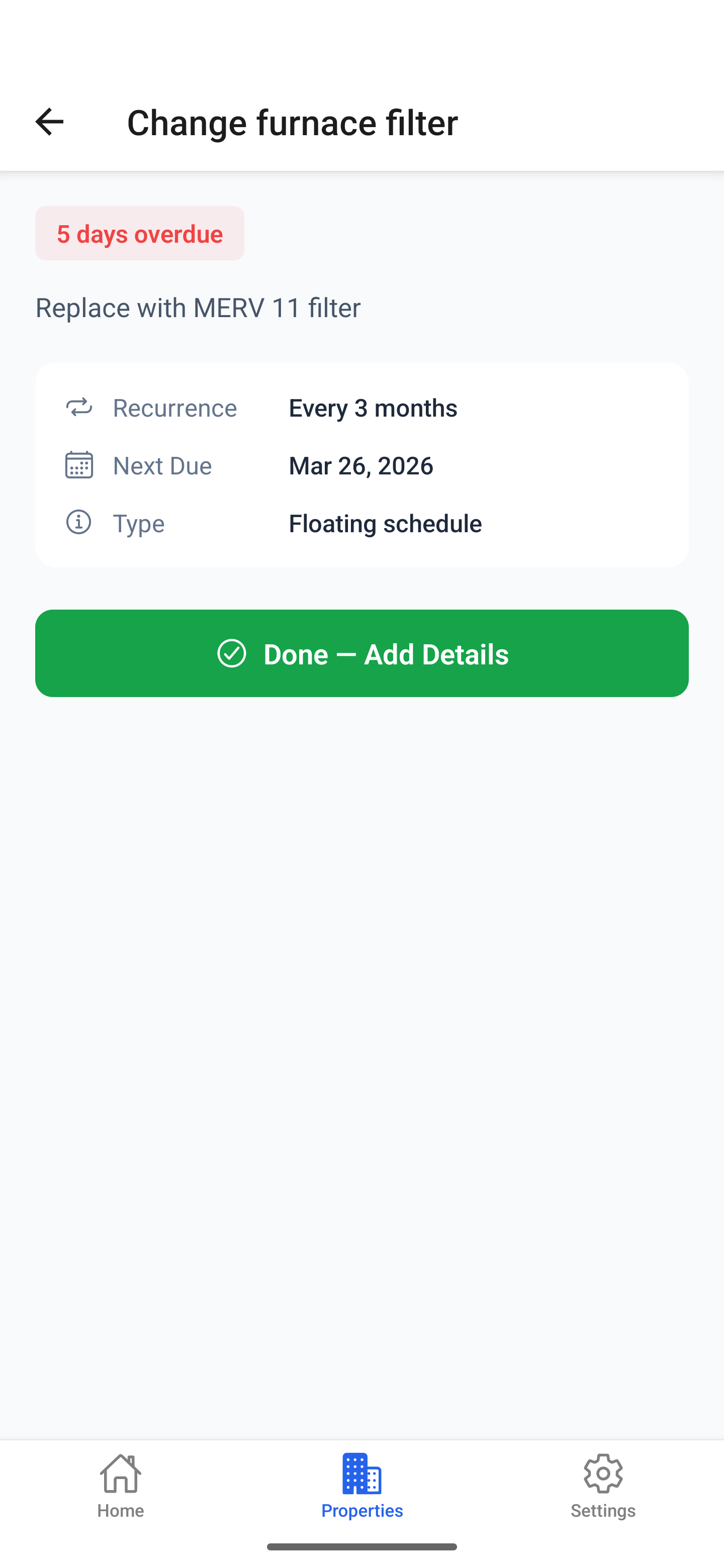
Every completion is logged — by whom, when, with optional notes and photos. The next time someone asks what brand of furnace filter you bought, you'll actually know.

  • Full audit trail per task.
  • Attach photos and receipts to any completion.
  • One-tap "Done — add details later."
Task detail with completion button
How it works

Set it up in three minutes. Stop worrying.

You're not building a maintenance database. You're telling Upkeep what you've done lately — it does the rest.

1

Add your property

Name it, drop in an address. Add another for your rental or vacation place if you've got one.

2

List what you maintain

Furnace filter, gutters, HVAC service, smoke alarms — and how often. Pick floating or fixed schedules.

3

Get reminded — at the right time

Push notifications when tasks are due. They keep nudging until you mark them done. No silent backlog.

Who it's for

Built for anyone who owns the things they live in.

Homeowners

Tired of forgetting maintenance until something breaks at the worst possible time.

Couples & families

Splitting responsibilities cleanly. Everyone sees the list, only the assignee gets pinged.

Landlords

Managing recurring upkeep across multiple rentals without a spreadsheet from 2014.

Property managers

Tracking maintenance across portfolios with assignment, history, and completion proof.

Get Upkeep Nest

Stop forgetting. Start maintaining.

Free to start with 1 property and 5 tasks. Pro is $4.99/month or $39.99/year for unlimited properties, sharing, and history. Now live on iOS — Android beta rolling out now.

On iOS Live now

Available now on the App Store. Free to start (1 property, 5 tasks); Pro is $4.99/mo or $39.99/yr.

On Android Beta

We're rolling out access in waves. Drop your email — we'll send a download link as spots open.
No spam. Unsubscribe anytime.
Questions

Frequently asked.

How much does Upkeep Nest cost? +
The free plan includes 1 property and up to 5 tasks — enough to get a feel for the app and cover a small place. Pro is $4.99/month or $39.99/year (save 33%) and unlocks unlimited properties, unlimited tasks, household sharing, and full completion history.
What's the difference between floating and fixed schedules? +
Floating tasks recalculate from the day you actually marked them complete — perfect for "every 3 months." Fixed tasks always recur on the same calendar date — perfect for seasonal jobs like "trim the trees every March."
How do you handle sharing with my partner? +
Invite anyone to a property by email. They see the full list and history. You can assign individual tasks to specific people — only the assignee gets push notifications, but everyone can mark tasks complete.
When are iOS and Android launching? +
iOS is live now on the App Store. Android is in beta, rolling out in waves — drop your email in the Android card above and we'll send a download link as spots open.
Can I track multiple properties? +
Yes — unlimited. Use it for your home, rental properties, vacation house, office, or anything else with recurring upkeep.
Where is my data stored? +
Encrypted in transit and at rest. We never sell your data and we don't run ads. The app works offline; changes sync when you're back online.